

Introduction
Technology changes fast, and so do the tricks used by cybercriminals. If you’ve been hearing the word “ransomware” more often lately, you’re not alone – and yes, it’s something worth paying attention to.
But don’t worry. You don’t need to be a computer expert to understand it, and there are simple steps you can take to protect yourself. Let’s break it down in plain English.
What is Ransomeware?

Ransomware is a type of malicious software (“malware”) that sneaks onto your device and tries to lock up your files or steal your information. Criminals then demand money – a “ransom” – to give your data back or to stop them from sharing it.
Think of it like someone breaking into your home, taking your photo albums, and then asking you to pay to get them returned.
Ransomware is changing - and getting sneakier
Here’s the surprising part: cybercriminals are no longer focused only on locking files.
In 2025, ransomware attacks jumped dramatically – more than 50% higher than the year before. But at the same time, the number of attacks that encrypt files actually went down.
Why?
Because criminals realized they can make more money by quietly stealing information and threatening to leak it, rather than loudly locking everything up. They’re becoming digital “parasites,” sneaking in and hiding in the background.
This means today’s threats can be harder to spot – but also easier to prevent with good habits.

Why Should You Care?
You may be thinking:
“Why would anyone want my information?”
The truth is, attackers don’t usually target individuals personally – they cast a wide net. Anyone who uses email, a smartphone, or a computer is a potential target. Seniors are especially targeted because scammers assume they are more trusting and less familiar with technology.
But with a few simple habits, you can stay safe and confident online.
How Does Ransomeware Usually Get In?
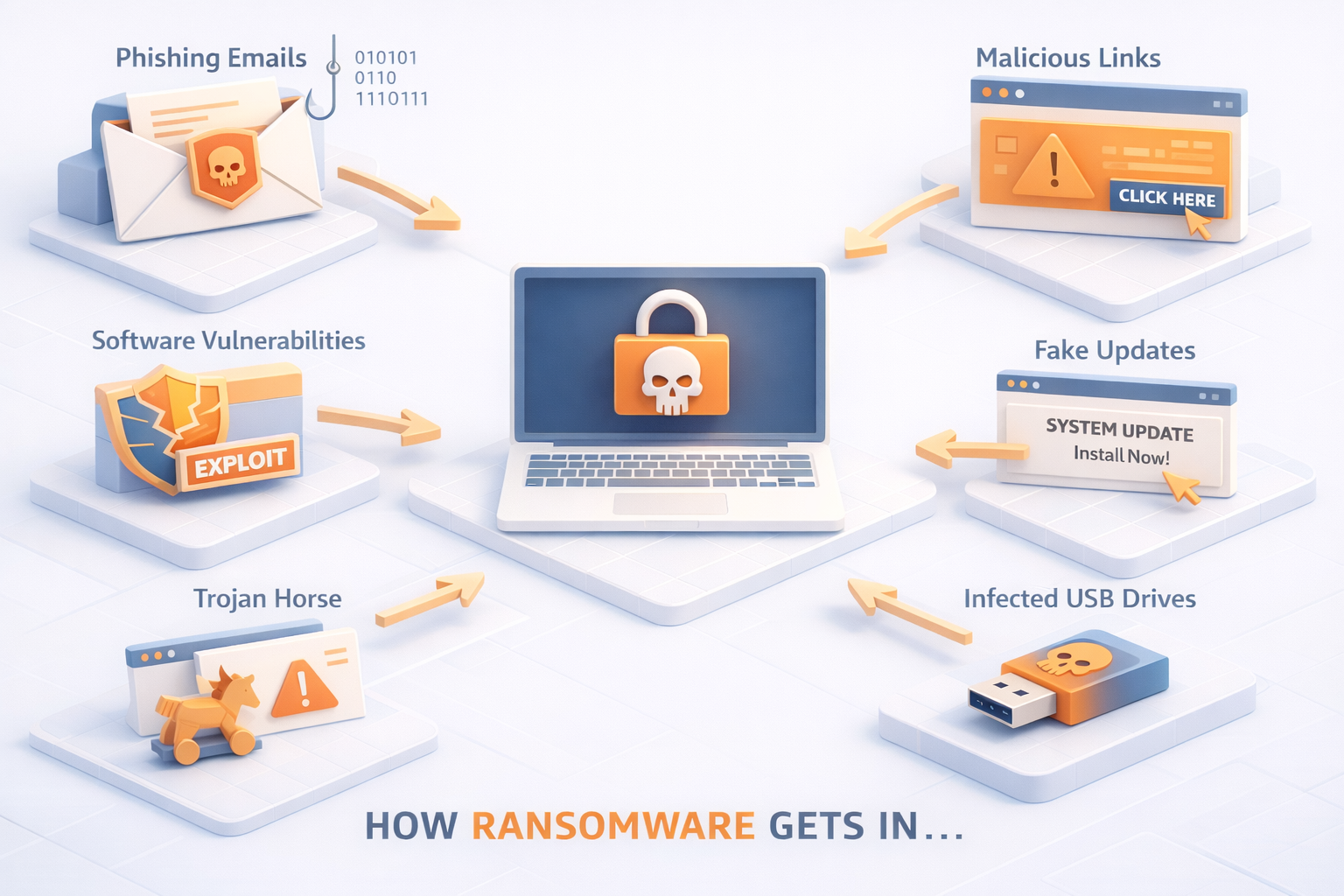
Most attacks start with one of these:
- A fake email claiming to be from a bank, delivery service, or government office
- A convincing link that leads to a dangerous website
- An attachment that looks innocent (like a PDF or invoice)
- A pop‑up that says you need to “update” or “clean” your computer
- Using older devices or apps that haven’t been updated
The good news? You can block almost all of these with these simple behaviours and tips.
Top Ways to Protect Yourself (easy + effective)
1. Use strong, unique passwords
If remembering passwords is tough, a password manager can help – it stores them securely and fills them in for you.
2. Turn on Multi‑Factor Authentication (MFA)
This is when you get a code by text or email before logging in.
It adds a major layer of protection, even if someone steals your password.
3. Keep your devices and apps updated
Updates patch security holes.
TIP: Turn on automatic updates if possible.
4. Be cautious with links and attachments
If something looks unusual… slow down.
Ask yourself:
- Was I expecting this email?
- Does the sender’s address look strange?
- Does the message feel “urgent” or pressuring?
If you’re unsure, don’t click – ask a trusted friend or give us a call.
5. Back up your important files
Backups won’t stop criminals from stealing data, but they will help you recover if something goes wrong.
6. Pay attention to unusual behaviour
If your computer suddenly slows down, acts strange, or opens things on its own, don’t ignore it.
Acting early can save your device – and your information.

A Quick Reality Check
Modern ransomware can be very sophisticated – some malware even uses advanced math tricks to hide from security tools!
But here’s the encouraging part:
Most attacks succeed not because people aren’t smart – but because they’re busy, distracted, or just trying to help.
Being careful, taking your time, and using good digital habits goes a long way.
You’re Not Alone - We’re Here to Help!
If you ever feel unsure about an email, a pop‑up, or a message on your device, reach out. Tech Tutors is here to make technology feel simple, safe, and stress‑free – whether you’re new to it or have been learning for years.
✨ Staying safe online doesn’t require perfection – just a bit of awareness and support.
We’re always happy to guide you.
Recent Comments